Gaming
WWE 2K26: The Ultimate Guide — Tips & Tricks

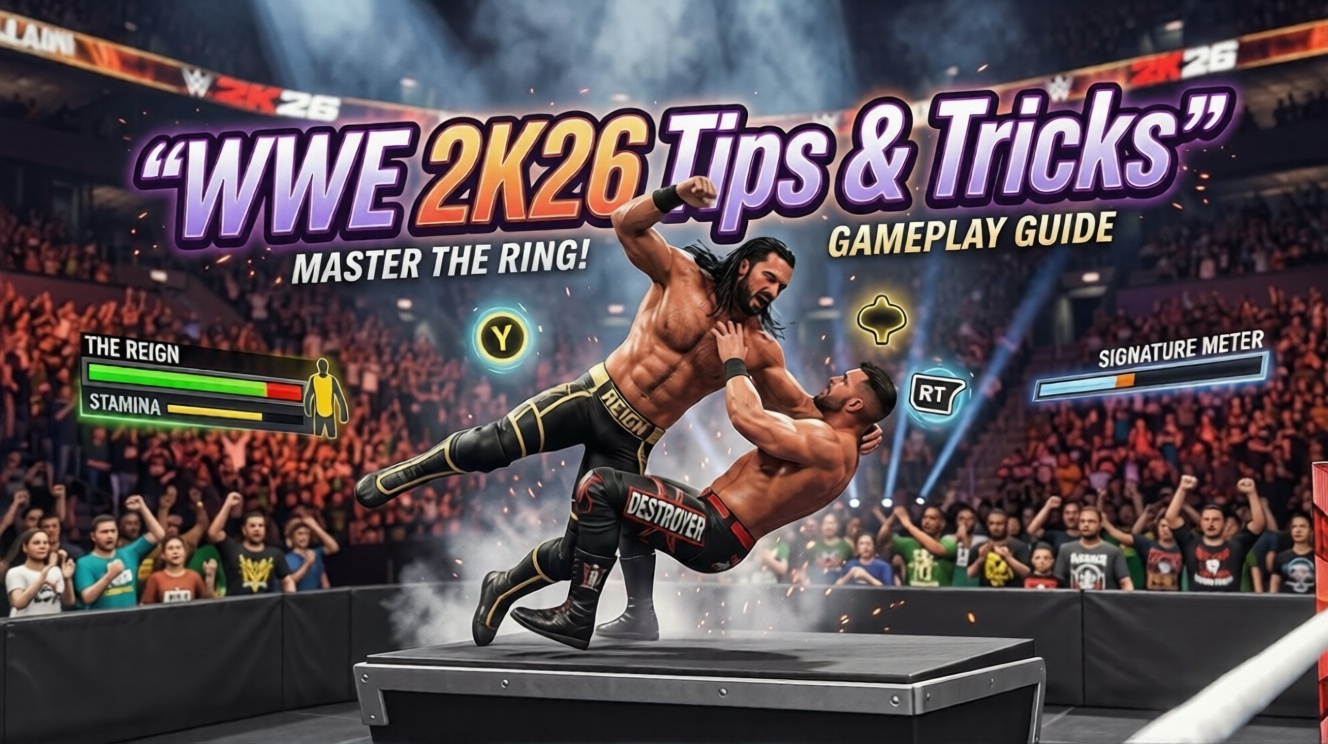
WWE 2K26 stands as one of the most ambitious wrestling games the franchise has ever delivered. With a roster exceeding 400 superstars and legends spanning multiple generations, brand new gameplay mechanics, expanded environmental combat, and the deepest creation suite in series history, this entry raises the bar in nearly every department. Whether you are picking up a controller for the first time or you have been playing WWE games since the PS2 era, this comprehensive guide will walk you through everything you need to dominate inside — and outside — the ring.
Understand the Stamina and Reversal Connection
The single most important new gameplay concept in WWE 2K26 is the relationship between your stamina bar and your ability to reverse. Unlike previous entries where reversals were freely available as long as your timing was correct, this game ties defensive capability directly to physical endurance. Every time you successfully counter an attack, a portion of your stamina is consumed. If your stamina bar runs dry, you lose the ability to reverse entirely, leaving you completely exposed to whatever your opponent throws at you.
This changes how you should approach every match. Early in a bout, it is tempting to reverse every incoming attack, but doing so will leave you defenseless in the crucial final stretch. Learn to absorb some damage strategically, recover stamina when you have ring control, and save your reversals for the most dangerous moments — signature attempts, finisher setups, and situations where a successful counter could swing the match entirely.
Fill the Stun Meter Before Going for Big Moves
WWE 2K26 introduces a Stun Meter that fills as you connect with lighter attacks on your opponent. Once that meter is completely filled, the stunned superstar loses their reversal ability temporarily, giving you a clean window to execute grapple moves, power slams, or signature setups without fear of being countered mid-animation.
The smart approach is to use your light strike combos as a setup tool rather than a finishing weapon. Land three or four quick hits, watch that stun meter climb, and then immediately follow with your most dangerous grapple or a momentum-building sequence. This combination of strike chains into grapples is the backbone of effective offense in WWE 2K26.
Bank Finishers for the Super Finisher
One of the most game-changing additions in WWE 2K26 is the Super Finisher system. When you accumulate three stored finishers simultaneously, you unlock access to a dramatically more powerful version of your finishing move. This super-charged finisher is significantly harder for opponents to kick out of, making it one of the most reliable ways to close out a match.
The mistake most players make is spending finishers the moment they earn them. Instead, build your finisher meter deliberately, hold onto each one as you earn it, and time your assault so that you arrive at the three-finisher threshold at the perfect moment — ideally when your opponent’s health is low and they are in a compromised position.
Chain Signatures Directly Into Finishers
Understanding how the momentum system feeds into your offensive chain is essential. Your momentum meter builds through dealing damage, landing moves, and performing taunts. Once the meter is full, you can execute your signature move. Here is the key detail many players miss: successfully landing a signature move grants you a finisher automatically and resets your momentum meter to empty.
This means your in-match goal should never be to chase a finisher directly. Instead, focus on filling momentum, land your signature cleanly, collect the finisher reward it generates, and then look for your moment to deploy it. Trying to rush straight to a finisher without this chain in place is inefficient and burns time you could spend building properly.
Taunt Regularly to Build Meters
Taunting your opponent is not just a fun cosmetic action — it actively contributes to filling both your momentum and finisher meters. Work taunts into the natural rhythm of your offense, particularly after landing a big move or after surviving a dangerous sequence. A well-timed taunt to the crowd following a major power move can push your meter over the threshold faster than simply grinding through additional strikes.
Heel characters can direct taunts at the opponent or the crowd for meter-building, while babyface taunts that play to the audience tend to generate the largest momentum spikes. Experiment with your superstar’s taunt library to find the animations that work best with your rhythm.
Use Finishers to Skip Elimination Mini-Games
In Royal Rumble matches and other multi-person elimination formats, when an opponent is hanging on the ropes in an elimination position, a button-pressing mini-game determines whether they survive or get tossed over. This mini-game can be unpredictable and hard to win consistently.
If you have a finisher stored, you can bypass this mini-game entirely and secure the elimination directly. This is an enormous tactical advantage in crowded Rumble matches where you need to eliminate multiple people efficiently without burning time and stamina on drawn-out rope mini-games.
Control Your Entrance for Maximum Crowd Reaction
For the first time in the WWE 2K series, players now have direct control over their superstar’s actions during the entrance. Rather than watching a pre-set animation play out, you can tailor the walk to the ring in real time — pausing to taunt specific sections of the crowd, directing heel heat, or working the audience as a beloved babyface.
This also extends to pyrotechnic triggers. You can fire pyros from your controller at custom moments during the entrance sequence, allowing you to sync explosions with music peaks or dramatic pauses for maximum theatrical impact. Combined with preset entrance motions, this gives you a level of entrance customization the franchise has never offered before.
Fight on the Barricade
WWE 2K26 expands the ringside combat zone significantly. You can now take the fight directly onto the top of the security barricade and execute moves in that environment, adding a new dimension to outside-the-ring brawls. Creative players who master barricade positioning can set up high-impact spots that are genuinely difficult for opponents to anticipate.
Combined with expanded crowd combat areas that push the action deeper into the arena, WWE 2K26 rewards players who think beyond the traditional ring boundary and use the full environment as a weapon.
Use Pre-Match Actions to Tell a Story
Before the opening bell rings, WWE 2K26 offers a variety of pre-match interaction options that set the emotional tone for the contest. These include surprise attacks before the match officially begins, fake handshakes that turn into ambushes, genuine show-of-respect handshakes, staredowns, and cheerleading from managers or valets.
In Universe Mode especially, these pre-match moments are invaluable storytelling tools. A heel superstar who offers a handshake before betraying their opponent plants seeds for a feud. A surprise attack establishes dominance. Used thoughtfully, these interactions make your Universe feel like a genuine wrestling product with organic narrative momentum.
Know Your Match Type Rules Before You Jump In
WWE 2K26 includes several match types with unique win conditions that catch new players off guard. Inferno Matches require setting your opponent on fire — not simply pinning or submitting them — meaning you need to think about positioning relative to the flames rather than standard offensive patterns. Three Stages of Hell rewards adaptability, as each fall is contested under different rules requiring you to shift strategy mid-match. Understanding these distinctions before you queue up dramatically improves your success rate.
WWE 2K26 Controls — Full Breakdown
WWE 2K26 organizes its control scheme into six primary categories: Standard, Grapple, Weapons, Carry and Dragging, Manager, and Special Referee. The Standard, Grapple, Weapons, and Carry and Dragging categories will cover the majority of your in-ring activity across virtually every match type.
Standard Controls
Movement is handled with the left analog stick. Sprinting is activated by double-tapping the left stick in any direction and holding it. The face buttons govern your primary combat inputs:
- Light Attack — Square on PlayStation / X on Xbox
- Heavy Attack — Cross on PlayStation / A on Xbox
- Initiate Grapple — Circle on PlayStation / B on Xbox
- Reversal — Triangle on PlayStation / Y on Xbox (timed just before impact)
- Pin — Flick the right analog stick downward
- Taunt — Directional pad inputs cycle through available taunts
Pressing Light Attack repeatedly triggers combo chains, with different directional inputs on the left analog stick changing which combo sequence activates.
Grapple System
To enter a grapple, press Circle / B while standing near your opponent. Once in a grapple lock-up, the following inputs determine the move executed:
- Light Attack inside grapple — performs a lighter grapple technique such as a headlock takeover, snapmare, or arm drag
- Heavy Attack inside grapple — performs a stronger move such as a suplex, slam, or powerbomb
- Circle / B inside grapple — executes an Irish Whip, sending the opponent into the ropes
This same grapple logic applies in all positional contexts: front grapple, rear grapple, side grapple, corner grapple, apron grapple, and ground grapple. Each position yields different move outputs for Light and Heavy Attack, giving the system enormous depth once you understand the positional variety available.
Reversal System
WWE 2K26 uses a multi-layered defensive system rather than a single universal reversal button.
Standard Reversal triggers when you press Triangle / Y at the correct timing window just before an opponent’s strike connects. A visual prompt appears above your superstar’s head indicating the window. This works against most strikes and basic offensive actions.
Breakers are a separate defensive input used specifically against combos and grapple moves. These appear as on-screen prompts during the execution of certain move animations and require faster reactions than standard reversals. Missing a Breaker prompt means eating the full move with no defensive option.
Stamina Dependency — As emphasized in the tips section, your stamina bar directly limits your reversal access. A depleted stamina bar removes your ability to perform both standard reversals and breakers until stamina recovers.
Signature and Finisher Inputs
- Signature Move — R2 + Square on PlayStation / RT + X on Xbox (requires full momentum meter)
- Finisher — R2 + Cross on PlayStation / RT + A on Xbox (requires at least one stored finisher)
When a superstar has two finishers assigned from the same position, holding the buttons rather than tapping executes the second finisher variant.
Combo System
Every superstar has access to 30 distinct combo sequences, each customizable through the Create-A-Moveset system. Combos are initiated through sequences of Light Attack inputs combined with directional left analog stick movements. The in-game pause menu displays the full combo list for whichever superstar you are currently controlling, making it a useful reference while learning a new character.
Camera Controls
WWE 2K26 supports a free third-person camera that can be manipulated using the right analog stick during gameplay and entrances. When this camera mode is active, actions traditionally mapped to right analog stick directional flicks — such as pinning or lifting an opponent — must be performed by first holding R2 / RT and then flicking the right stick, preventing accidental camera movements from triggering unintended in-ring actions.
WWE 2K26 Manager Controls
Managers add a strategic layer to WWE 2K26 that goes well beyond simple accompaniment to the ring. A well-played manager can tilt the outcome of a match through calculated interference, distraction timing, and well-placed foreign objects.
Distract the Referee
The most powerful tool in a manager’s arsenal is referee distraction. Approaching the ring apron and using the interaction button draws the official’s attention to the outside, creating a blind spot inside the ring. During this window, the managed superstar can use illegal weapons, perform low blows, or execute moves that would normally warrant disqualification. Timing this distraction to coincide with a critical offensive moment is what separates effective manager play from passive ringside observation.
Throw Objects Into the Ring
Managers can pick up ringside objects — most commonly steel chairs — and slide or toss them onto the canvas for their superstar to use. This is performed by standing near a weapon at ringside and using the Light Attack input to throw it under the bottom rope. The delivery is especially effective when combined with a referee distraction, ensuring the foreign object enters play without the official noticing.
Ringside Interference
In No Disqualification matches or during the occasional loosely enforced contest, managers can step closer to the action and use basic attack inputs against opponents who venture to the outside. While managers are not powerful combatants, a well-timed interference near the announce table or barricade can interrupt an opponent’s momentum at a decisive moment.
Motivating Your Superstar
Taunting as a manager while your superstar is in control inside the ring generates additional momentum for them, functioning similarly to how superstar taunts build their own meter. Positioning yourself at ringside and taunting during your superstar’s dominant sequences creates a passive momentum advantage that adds up over the course of a longer match.
Manager Assignment and Customization
Managers can be assigned to specific superstars through the entrance editor and superstar settings menus. Once assigned, the manager accompanies the superstar during their entrance and remains at ringside throughout the match. Custom created managers — or existing superstars repurposed in the manager role — can be outfitted with unique attire and assigned specific entrance motions that complement the superstar they accompany.
WWE 2K26 Moves List — Full Overview
WWE 2K26 contains one of the largest and most customizable move libraries ever assembled in a wrestling game. Every move in the game is accessible and editable through the Create-A-Moveset system, organized by positional category.
Standing Offense
Standing attacks encompass your full strike game — jabs, chops, kicks, forearms, uppercuts, and combination strikes. Each superstar arrives with a default standing moveset reflecting their real-world style, but every slot can be replaced. Heavyweight brawlers default to heavy strikes and plodding power moves, while technical wrestlers default to quick footwork and mat-based setups.
Grapple Move Library
Grapple moves are separated into positional categories. Front grapple positions yield different options than rear grapples or side grapples, and the strength of the grapple — light versus heavy — generates further variation. Across all positions, the available moves span suplexes of every variety, body slams, throws, technical holds, and specialty techniques unique to individual superstars.
Ground Moves
When an opponent is down on the canvas, a dedicated ground move library activates. These include stomps, elbow drops, leg drops, knee drops, mounted strikes, and ground-based submission attempts. The game distinguishes between attacking a grounded opponent from their head side, their foot side, and their left or right flank — each yielding different animations and move options.
Corner Moves
Corner offense against a trapped opponent includes mounted punches, running strikes, top-rope overhand blows, and specialty corner-position moves like hurricanranas or top-rope slams. Superstars can also be whipped into corners from across the ring to set up running corner attacks.
Submission System
Submission holds activate a dedicated tug-of-war mini-game once applied. The attacking player presses to cinch the hold tighter while the defending player fights toward the escape threshold. In submission-specific match types such as I Quit contests, the match ends only when the trapped superstar verbally concedes, making the mini-game more intense and prolonged than a standard submission scenario.
Diving and Aerial Moves
High-flying superstars have access to an extensive aerial library from the top rope, second rope, and apron. Diving moves are organized by takeoff position — corner top rope, corner second rope, ropes-facing-in, and apron — with unique animations for each direction of impact.
Weapons Library
WWE 2K26 significantly expands the weapons available in hardcore and no-rules match environments. The inventory includes:
- Steel Chair — the most versatile weapon, usable in multiple positions and as a submission tool
- Kendo Stick — fast, repeated strikes with high stun buildup
- Tables — can now be stacked for high-impact multi-table spot opportunities
- Thumbtacks — making their debut in the 2K series, scattered on the canvas for devastating environmental damage
- Ladder — usable for climbing, striking, and as a platform for diving moves
- Shopping Cart — a new addition, usable to trap and launch opponents
- Steel Steps — ripped from ringside and used as a battering implement
- Fire Extinguisher — sprays opponents and can be used as a blunt weapon
AI Sequences in Create-A-Moveset
A newly introduced feature called AI Sequences allows players to pre-program specific move chains that AI-controlled versions of their created superstars will attempt during a match. This means your custom creation will not just perform random moves — they will execute the specific combos and setups you have designed for them, making CPU-controlled matches feel deliberate and character-accurate.
WWE 2K26 Preset Entrances — Complete Guide
The entrance creation system in WWE 2K26 is the most advanced the franchise has ever offered. The Preset Entrance library provides hundreds of pre-built motion packages drawn from decades of WWE history, while the updated Create-An-Entrance editor gives players frame-level creative control over how every element of those animations plays out.
What Preset Entrances Are
Preset Entrances are complete, pre-animated entrance motion packages that players can assign to any superstar in the game — roster members, unlocked legends, created superstars, or Community Creations downloaded from other players. Rather than building entrance movements from scratch, these presets function as a foundation. You select the motion style that fits your superstar’s character, then layer in custom music, lighting, pyro timing, attire, and now — for the first time — real-time controller inputs during the entrance itself.
Advanced Timeline Editor — Now For Every Entrance Type
One of the standout new features in the entrance creation suite is the advanced timeline editor, which has been expanded to cover all entrance categories. This includes solo superstar entrances, champion entrances, double-champion entrances, Money in the Bank briefcase holder entrances, and team or stable entrances. Previously this level of timing control was limited to specific entrance types, but WWE 2K26 makes it universally available, allowing precise synchronization between music beats, camera cuts, lighting shifts, and motion triggers across every entrance format.
4-Person and 5-Person Stable Entrances
For the first time in the history of the series, WWE 2K26 supports fully customized entrances for stables of four and five members. Previous entries capped group entrance customization at trios, forcing larger factions to use generic or mismatched animations. This addition is a landmark feature for Universe Mode players who build multi-member factions — every member of a five-person stable can now walk out with a cohesive, choreographed entrance that reflects the group’s identity.
Champion Entrance Presets
Superstars holding championships have access to a dedicated category of title motion presets. These animations are specifically built around the physical presence of a championship belt — how the superstar carries it, displays it to the crowd, or uses it as a prop during their walk to the ring. These differ meaningfully from standard motion presets and are automatically applied when a superstar is assigned a championship in Universe Mode or MyGM.
Double Championship Motions
Superstars holding two titles simultaneously have access to a separate set of dual-title entrance motions that animate the handling of two championships at once. These are distinct from single-title presets and are particularly relevant in Universe Mode scenarios where a superstar has unified titles or holds championships on multiple brands.
Money in the Bank Briefcase Presets
The MITB briefcase has its own dedicated preset category, capturing the unique energy that comes with being a future title contender. These animations reflect different personality types — confident heels who taunt crowds with the briefcase, anxious babyfaces who clutch it protectively, and cocky characters who drag it along like a prize. Matching the MITB preset to your briefcase holder’s character adds significantly to their presentation.
Tag Team and Trio Preset Entrances
Dedicated tag team and three-person stable preset entrances are available for all team combinations. These include synchronized motions where both partners mirror each other, staggered approaches where one partner leads, and confrontational team entrances where members pose independently before meeting at the ring together. The trio category includes entrance styles historically associated with iconic three-person groups across multiple WWE eras.
Alternative Entrance Motions
Many superstars in WWE 2K26 come with multiple entrance motion options — not just one default preset. This typically means having both a face and a heel variant of their entrance that reflects how the crowd responds to them, or era-specific alternatives that represent different phases of a superstar’s career. When editing a superstar’s entrance in the Create-An-Entrance menu, checking for alternative motion options often reveals a much richer selection than the default assignment suggests.
Pyro and Custom Taunt Integration
The new real-time entrance control system allows pyrotechnic triggers to be fired manually from the controller during any entrance sequence — preset or custom. Rather than having pyro fire at a fixed point in the animation, you can hold the trigger until the exact moment in the music where the explosion will have the most impact. Custom taunts can similarly be inserted at any point during the entrance walk, giving players complete creative control over how their superstar arrives and presents themselves before a match begins.
Game Modes Overview
MyGM — Brand Management Mode
MyGM in WWE 2K26 offers a dramatically expanded general manager experience. Default seasons run for 50 weeks — a major extension from previous entries — allowing for long-term rivalry building and roster development. Budget allocations span from three million to seven million dollars, giving you more room for creative roster construction strategies. New general manager options have been added to the available roster of GMs, including historically beloved figures from WWE’s managerial history.
The mode includes deeper match type variety, custom championship creation, double-booking options for creating card conflicts and storyline tension, and advanced AI difficulty settings that make the competing brand feel like a genuine threat. MyGM remains the best place for players who enjoy the behind-the-scenes power fantasy of running a WWE brand.
MyRISE — Career Mode
MyRISE returns with two new division-based storylines and a significant quality-of-life addition: the mode continues after your main storyline concludes. Rather than hitting a dead end after completing the primary narrative, you can continue competing to defend titles, build your legacy, and take on superstars and legends who were not part of the original story path. This gives MyRISE substantially more replayability than it has offered in recent entries.
The Island
The Island is WWE 2K26’s online-connected story mode, rebuilt around a three-faction power struggle with an emphasis on cooperative and team-based matches rather than exclusively solo competition. The mode features exclusive content, unique storylines not found elsewhere in the game, and is available on PC for the first time in the series.
Showcase Mode — Punked
WWE 2K26’s Showcase Mode is centered on CM Punk’s career, narrated by Punk himself. The mode blends accurate historical recreations of landmark Punk matches with alternate history scenarios that let players change the outcome of iconic moments. Completing Showcase objectives unlocks attires, arenas, and other content tied to the Punk era of WWE history.
Final Thoughts
WWE 2K26 rewards players who take the time to understand its systems deeply. The stamina-dependent reversal mechanic alone fundamentally changes how matches are paced and contested, demanding a more thoughtful approach than button-mashing reversals ever allowed. The combo-to-stun-to-grapple offense chain, the signature-into-finisher momentum flow, and the Super Finisher payoff all work together to create a match structure that genuinely builds to climactic moments.
Beyond the ring, the manager system adds real tactical depth to multi-person storytelling, the Create-A-Moveset suite offers virtually unlimited character customization, and the preset entrance overhaul — with stable support for groups up to five members and the new timeline editor — gives creative players the most powerful presentation tools the franchise has ever offered.
Whether your focus is competitive play, creative Universe Mode booking, or simply experiencing the richest single-player content WWE games have ever produced, WWE 2K26 has the depth and variety to keep you engaged for a very long time.


Roblox Username Generator – Create a Cool & Unique Username in Seconds

Grow a Garden Recipes in Roblox: Guide to Cook (Donuts, Sushi, Pie, Pizza & More!)

Job Opportunities in Dubai – 2026

Mr Bit at the SBC Awards Europe 2025: The Bulgarian Brand Setting New Standards in the European Gaming Industry

Dennis Rodman Net Worth 2026 – Everything You Need to Know

Bloxburg Neighborhood Codes 2026
Grow a Garden Recipes in Roblox: Guide to Cook (Donuts, Sushi, Pie, Pizza & More!)
Job Opportunities in Dubai – 2026
Dennis Rodman Net Worth 2026 – Everything You Need to Know